Salesforce ERP Integration: 7 Expensive Mistakes That Create More Work
The order is in Salesforce. Finance still needs to correct the delivery address, someone is checking whether the ERP received it, and the account manager wants an invoice update.
Your team is still chasing an order that should already be moving through the business.
Salesforce ERP integration connects selected customer, product, order and financial information between Salesforce and an enterprise resource planning system. The useful question is whether that connection completes the business handoff: the right records, with the right meaning, reaching the people who need them.
Before approving a new integration or another repair, look for these seven mistakes. They can leave your team paying for implementation and continuing to do the work by hand.
1. Buying the connector before defining the handoff
A demonstration shows an opportunity becoming a sales order. Your actual process also involves customer matching, approved prices, order changes, cancellations and invoice status. Which of those steps is included?
If that question comes after the purchase, each missing step becomes a new scope discussion—or another spreadsheet.
A buyer in a February 2025 Salesforce–NetSuite discussion asked why the connection needed an expensive platform and a development team. Replies pointed to the business rules, records and ownership decisions behind the connection.
Write the handoff in business terms before choosing the technology:
- What event should start it: an approved order, a closed opportunity or something else?
- What must the receiving system accept before the task is complete?
- Which later changes must travel between the systems?
- Who handles a rejected or incomplete transaction?
Evidence to request: one representative transaction followed through to the agreed result, including a rejection and a later change. A connector logo or successful login does not answer those questions.
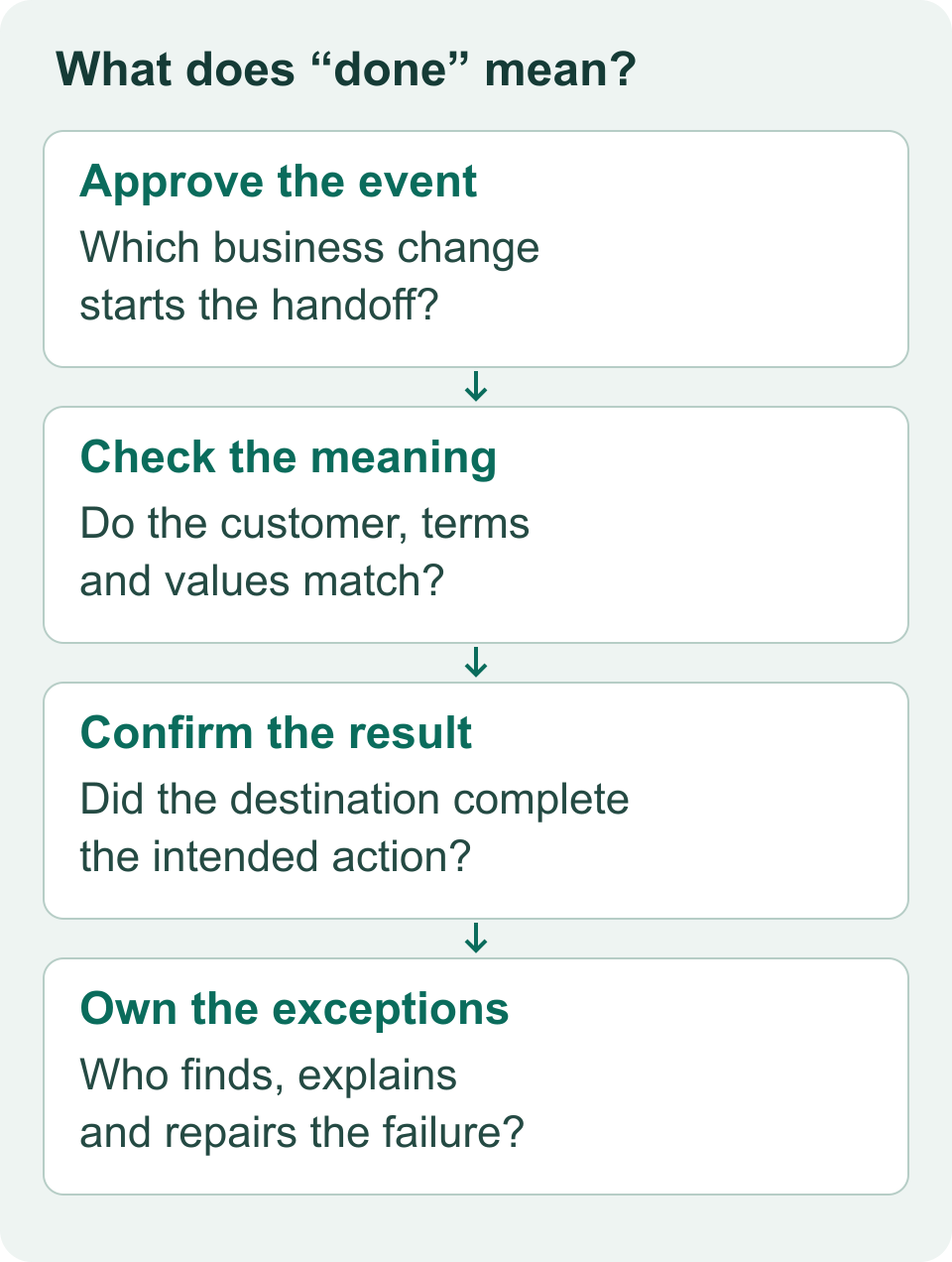
Four checks for a complete Salesforce–ERP handoff.
2. Letting both systems overwrite the same business facts
Suppose finance corrects a billing address in the ERP while sales updates the Salesforce account. If either system can overwrite the other indiscriminately, which value should survive?
This is an ownership decision. A field mapping cannot settle it for you.
Agree who owns each important value and when that ownership changes. For example, you might let sales maintain an account's general contact details while finance controls the billing details used on an issued invoice.
A useful ownership record states:
- The authoritative system or team for the value.
- Who may change it and under what conditions.
- Whether changes should affect existing transactions, future transactions or both.
- How conflicts, cleared fields and deleted records are handled.
The cost to investigate is repeated correction: employees entering a value, seeing it change back and then asking another team to fix it again.
Evidence to request: show two conflicting updates to the same synthetic customer. Explain which value wins and why. Include a cleared field; do not test only records where both sides already agree.
3. Mapping field names without testing business meaning
Two fields called “Payment Terms” may use different codes or definitions. A valid-looking source value can be rejected—or accepted with a meaning nobody intended.
An April 2025 commenter in a Salesforce integration discussion reported spending hours investigating an Oracle Fusion order-file rejection before finding a literal-value mismatch: “yes” versus “Y.”
The business implication is straightforward: an apparently small translation can consume investigation time and hold up the next step.
Build a mapping agreement that includes allowed values, required fields, customer and product identifiers, transformations, and what happens when a value cannot be translated. Put a business owner beside decisions that affect pricing, billing or fulfillment.
If Salesforce uses “Net 30” and the destination requires a code, document the approved code and its meaning. An unknown value should reach a visible exception process rather than silently becoming a convenient default.
Evidence to request: representative orders with missing customer codes, unusual characters, invalid values and changed terms. Inspect the destination values with the team that uses them. Successful record creation is only part of the check.
4. Retrying order creation without checking whether it succeeded
A request times out. Did the ERP reject the order, or create it before the response was lost?
Sending it again without resolving that uncertainty can repeat a business action. Salesforce's integration-pattern guidance identifies duplicate records and duplicate transaction processing as risks when repeated operations are not idempotent—safe to repeat without adding unintended effects.
Your team needs a stable way to recognize the same business transaction, correlate requests with results, and determine what happened before replaying an uncertain write.
Salesforce's external-ID upsert documentation describes one matching mechanism: no match creates a record, one match updates it, and multiple matches produce an error. That does not establish that an entire order or invoice workflow is safe to repeat. Downstream actions need their own checks.
Evidence to request: repeat the same synthetic transaction and simulate a lost acknowledgement in an approved test environment. Account for the resulting records and downstream actions.
For invoice-specific investigation, see how duplicate invoices and billing errors can arise.
5. Declaring success because the job ran
A “completed” job can be a misleading finish line. Define success around the business records that should exist and the action they should enable.
In the April 2025 discussion, another practitioner described a scripted Data Loader integration with delimiter problems and unread logs, saying it had failed silently for years. The data moved from a data lake into Salesforce. The same operational lesson applies to ERP handoffs: logs need an owner.
For your ERP handoff, ask whether every expected order is accounted for. A useful reconciliation separates:
- Transactions completed with the expected destination identifiers and values.
- Transactions rejected and assigned for repair.
- Transactions intentionally excluded under an agreed rule.
- Transactions whose outcome remains unknown.
Counts are a starting point. Matching record counts can still conceal the wrong customers, amounts or statuses, so define the value checks that matter to the workflow.
An acknowledgement that a message arrived may also precede the receiving system's processing. Salesforce documents this distinction for asynchronous integration patterns. Its pattern guidance explains the handoff. Agree how the final business result becomes visible.
Evidence to request: reconcile a bounded batch from source to destination, identify every exception and demonstrate how an operator finds an unknown outcome. The Salesforce integration error-handling guide covers decisions about what to retry, fix or escalate.
6. Testing the first order and ignoring what changes afterward
Creating an order is one moment in its lifecycle. Customers change addresses, sales amends terms, and finance may reject a transaction that looked acceptable earlier.
A NetSuite/Celigo user in the same April discussion described needing manual sales-order address corrections or additional workflow after address changes.
Before signing off, agree how your integration should handle changes at each relevant stage. A correction before order acceptance may need a different process from a change after invoicing. Have the responsible teams define the intended behavior.
Choose examples from your real operating process, using synthetic records for testing: an amended order, a cancellation, an unavailable customer or product code, a rejected update and recovery after an interruption. Include the point where an operator must decide what happens next.
Evidence to request: take one test order through creation and a later change. Show the destination state, what the customer-facing team can see, and any action finance or operations must take. Record intentional manual steps so they are included in the operating cost.
7. Launching without an owner for exceptions and change
Who investigates tomorrow's failed order? Who approves a new payment-term mapping? Who notices that an alert recipient has left the company?
If the answer is “the person who built it,” the handover is unfinished.
Buying middleware does not remove the need for ownership. Equally, custom development is not automatically a mistake. In an August 2025 Salesforce–NetSuite discussion, a respondent described a custom approach using message records and scheduled processing, with retained payloads for diagnosis. They said it worked well, while acknowledging the development required.
Compare options on the work someone must own after launch: monitoring, exception repair, mapping changes, access maintenance, releases and support. Retain enough diagnostic information to explain failures while limiting sensitive customer data and excluding credentials.
Evidence to request: a second operator can find an affected transaction, explain its state, identify the responsible team and follow the approved repair procedure. Include ongoing responsibilities when comparing Salesforce integration services.
What to ask for before you sign off
Use this as a starting point for acceptance, then adapt it to your workflow.
Scope and ownership
Evidence: agreed handoff, completion state and field ownership. Accountable team: business process owner.
Mapping
Evidence: representative accepted and rejected values, checked at the destination. Accountable team: finance/operations with the implementation team.
Replay and recovery
Evidence: repeated and interrupted transactions with explained outcomes. Accountable team: integration owner.
Completion
Evidence: source-to-destination reconciliation and assigned exceptions. Accountable team: operations.
Ongoing support
Evidence: a second operator can diagnose and route a failure. Accountable team: named support owner.
Put a cost against the work that remains
Before approving another tool or rebuild, measure the repair effort around one handoff.
Suppose six employees each spend two hours a week correcting or checking records. That is 12 hours a week. At an assumed fully loaded cost of $60 an hour, that is $720 a week in labor capacity.
Reducing that workload frees capacity. Whether it reduces payroll depends on how the business uses the time. Include implementation, subscriptions and ongoing support in the comparison.
Record waiting time separately: orders held for correction, invoices delayed by missing information, and customer questions waiting for finance. A delayed invoice is not automatically lost revenue. The broader guide to Salesforce data sync and manual work explains how to frame that business case.
Start with the handoff your team keeps rescuing
Bring Logic Conduit one recurring Salesforce–ERP problem: the two systems involved, an example of the exception, who repairs it, and what a completed handoff should look like.
We can discuss the scope, ownership, mapping and recovery questions that need a clear answer before the next build or repair. Use sanitized examples for an initial conversation.