Salesforce · Integration guide
Salesforce Integration Error Handling: What to Retry, Fix, or Escalate
For Salesforce integration error handling, classify the failure before retrying: fix invalid data or credentials, investigate contention and request limits, and reconcile timeouts before repeating a write. Set an attempt cap, a delay schedule and an owner for unresolved work.
A Flow can finish on its fault path while the receiving API returns an error. A timeout can leave you without a final response. Neither observation, by itself, establishes that the business operation completed.
This guide combines Salesforce documentation with controlled Apex and Flow HTTP Callout observations from an October 8, 2026 Trailhead Developer Edition test. The test harness used synthetic payloads. It demonstrated error capture, not a production retry queue or duplicate-safe business processing.
Diagnose the error: Salesforce API or external receiver?
Record the direction of the request: into Salesforce, or from Salesforce to another system. Then identify the API, operation and failed record or business transaction.
For a request into Salesforce REST API, inspect the HTTP status and returned error details together. Salesforce documents 401 for an invalid or expired session/token; 403 can indicate permissions or REQUEST_LIMIT_EXCEEDED. The same HTTP status can therefore need different recovery actions. Salesforce REST status codes
When Salesforce calls an external service, that receiver's API contract governs its response. Our receiver's 400 and 503 responses were deliberately controlled; they were not Salesforce record-validation errors. Treating an external HTTP 400 as proof of REQUIRED_FIELD_MISSING would confuse two separate interfaces.
For SOAP integrations, Salesforce distinguishes request-level faults from record-level errors. A record Error can include statusCode, message and affected fields. Preserve the actual response format from your integration rather than converting every failure into one generic message. Salesforce API error definitions
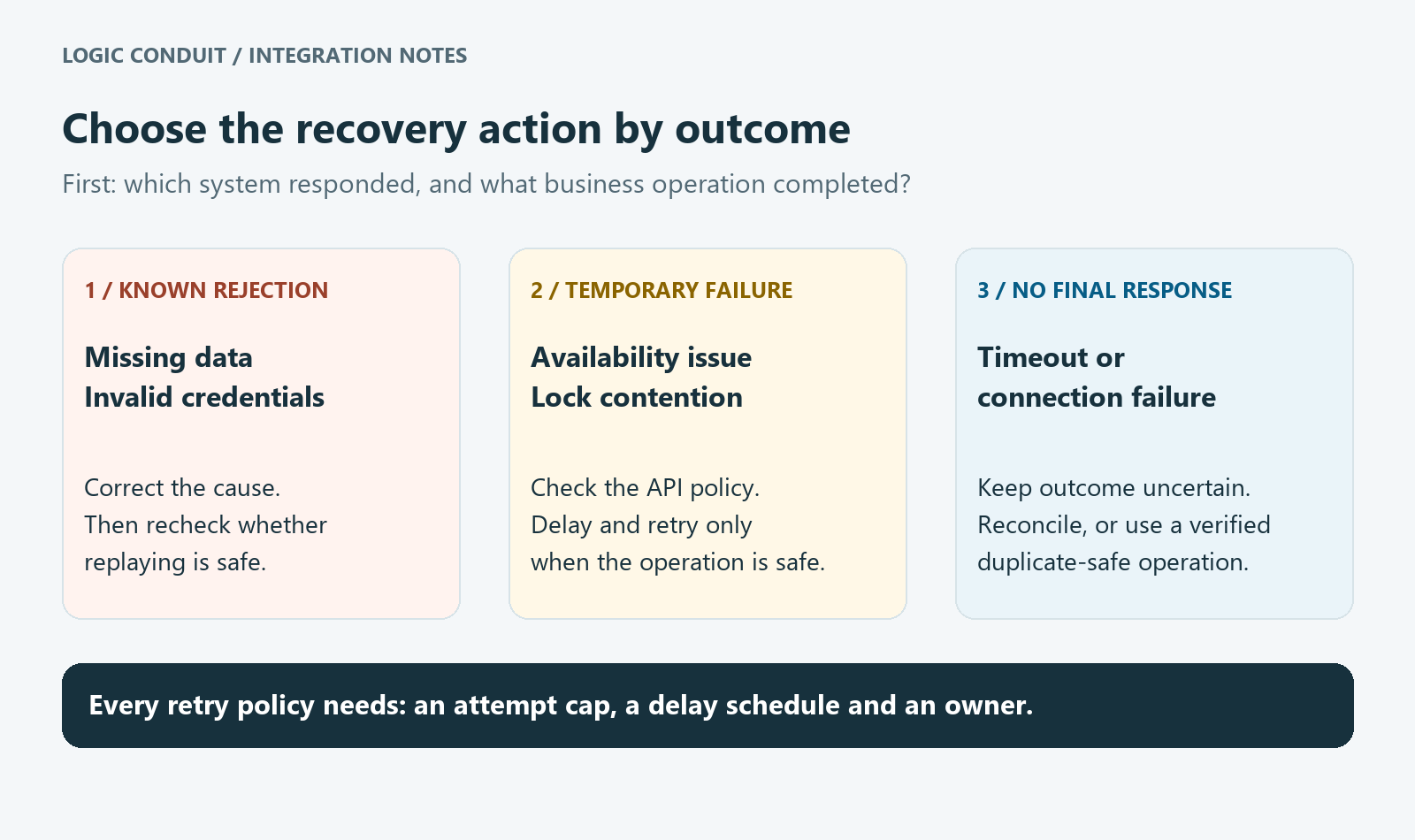
Salesforce integration error codes: a recovery decision table
The definitions below are documented behavior. The actions are recommended triage decisions, not fixes demonstrated in our test org. Read the response body and the operation's contract before automating a replay.
On narrow screens, scroll the table sideways to read all three columns. Keyboard users can focus the table and use the arrow keys.
| Signal | What to investigate | First recovery decision |
|---|---|---|
REQUIRED_FIELD_MISSING | A required field was omitted | Supply the correct value; don't resend unchanged data |
FIELD_CUSTOM_VALIDATION_EXCEPTION | A validation-related rejection; inspect the actual rule and message | Review the business condition with the rule owner before changing data or rules |
INVALID_SESSION_ID / REST 401 | Invalid or expired session credentials | Restore authentication through the approved flow, then reassess replay safety |
REQUEST_LIMIT_EXCEEDED | The applicable API request limit | Reduce/pause requests and investigate the limit; don't add a tight retry loop |
UNABLE_TO_LOCK_ROW | Contending transactions or a lock timeout | Investigate overlapping updates; consider delayed, bounded replay after confirming transaction outcome |
| External HTTP 400 | The receiving API's rejection details | Fix the request or configuration according to that API's contract |
| External HTTP 503 | The receiver's availability and documented retry guidance | Retry only if the operation is safe to repeat and the policy permits it |
| Callout timeout | Whether the receiver accepted or processed the operation | Mark the outcome uncertain; reconcile before replaying an unsafe write |
Salesforce's code reference covers missing fields, session errors, request limits and locking. Its REST reference provides the HTTP context.
For validation errors, the returned message matters. Salesforce documents an Outlook Integration example in which a User validation rule blocks an internal update. That example illustrates why reviewing the specific rule is more useful than blindly retrying; it is not evidence that every validation error has that cause. Salesforce validation-rule example
For locking, inspect concurrent work and related records. Salesforce's troubleshooting guidance identifies overlapping updates, triggers and shared parent records as relevant causes. Reducing concurrency or changing processing order may help a particular design, but neither is a universal cure. Salesforce locking guidance
Salesforce Flow error handling: capture the fault, then decide what happens
A fault path provides a place to handle an element's error. Salesforce's Trailhead lesson shows using the FaultMessage global variable to explain a failure and directs attention to the underlying missing data. Flow fault-path lesson
In our manual HTTP Callout test, a controlled HTTP 400 initially failed the Flow interview without a fault connector. After adding a connector, the fault branch captured BadRequest and the interview completed. A controlled HTTP 503 also followed the fault branch and captured ServiceUnavailable. We subsequently restored HTTP 200 and observed a successful run.
A completed interview on the fault branch did not mean the receiver accepted the operation as successful. The HTTP request reached the receiver, but its response indicated an error. Our assignment captured a message for inspection; it did not persist a retry job, schedule another attempt or alert an operations owner.
For a production design, define what the branch must do: retain an inspectable outcome, notify the right owner, and place eligible work into your chosen recovery mechanism. Test those behaviors separately. Record the recovery outcome separately from the Flow interview status.
What the Apex tests established
The Apex harness recorded the receiver's HTTP 503 response. With the receiver delayed for 12 seconds and the request timeout configured to 10 seconds, it caught a callout exception showing Read timed out. Its final four mock tests passed for 200, 400, 503 and an exception path.
These checks demonstrate how that harness distinguished returned HTTP responses from an exception. They do not prove that a remote business operation was rolled back after a timeout. The capture service did not perform an order, payment or other durable business change.
Keep “no final response” separate from “nothing happened remotely.” Use the receiver's records or contract to resolve the outcome.
Apex example: separate HTTP outcomes from retry decisions
This client sends one synthetic POST and returns one of three outcomes. Request construction is separate from response handling, and comments explain the boundaries rather than restating the code.
Configure a Named Credential with developer name Integration_Target for an approved test receiver, including its authentication and principal access. Run the sample in a callout-capable context; it performs no DML and should not be called synchronously from a record trigger or after uncommitted DML. The endpoint uses the credential's base URL.
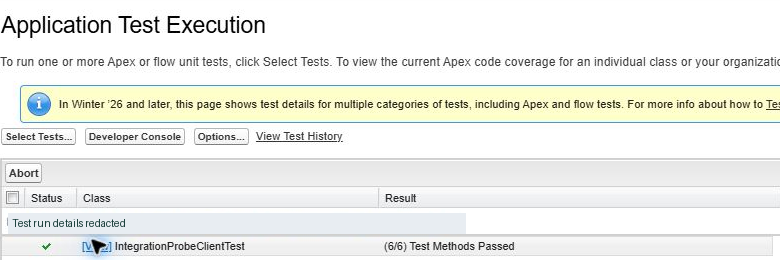
Compiled and mock-tested in Salesforce on October 8, 2026: all six companion test methods passed. The earlier four passing tests belonged to the original harness; the six-test result applies to this class.
/**
 * Sends one synthetic probe and reports the HTTP outcome.
 * The caller owns persistence, business-result checks and any retry policy.
 */
public with sharing class IntegrationProbeClient {
    private static final String ENDPOINT = 'callout:Integration_Target';
    private static final Integer TIMEOUT_MS = 10000;

    public enum Outcome { HTTP_SUCCESS, HTTP_ERROR, NO_RESPONSE }
    public class InvalidInputException extends Exception {}

    public class Result {
        public Outcome outcome { get; private set; }
        public Integer statusCode { get; private set; }

        public Result(Outcome outcome, Integer statusCode) {
            this.outcome = outcome;
            this.statusCode = statusCode;
        }
    }

    public static Result sendProbe(String operationId) {
        if (String.isBlank(operationId)) {
            throw new InvalidInputException('An operation identifier is required.');
        }

        HttpRequest request = buildRequest(operationId);
        try {
            HttpResponse response = new Http().send(request);
            Integer code = response.getStatusCode();

            // A 2xx response describes HTTP success, not business completion.
            Outcome outcome = code >= 200 && code < 300
                ? Outcome.HTTP_SUCCESS : Outcome.HTTP_ERROR;
            return new Result(outcome, code);
        } catch (CalloutException calloutFailure) {
            // No final response: do not infer rollback or replay automatically.
            return new Result(Outcome.NO_RESPONSE, null);
        }
    }

    private static HttpRequest buildRequest(String operationId) {
        HttpRequest request = new HttpRequest();
        request.setEndpoint(ENDPOINT);
        request.setMethod('POST');
        request.setTimeout(TIMEOUT_MS);
        request.setHeader('Content-Type', 'application/json');

        // Receiver-defined tracing header; this alone provides no deduplication.
        request.setHeader('X-Operation-Id', operationId);
        request.setBody(JSON.serialize(new Map<String, Object>{
            'testOnly' => true,
            'operationId' => operationId
        }));
        return request;
    }
}
HTTP_SUCCESS means a 2xx response, including 202; it does not mean an order has finished processing. HTTP 202 semantics NO_RESPONSE catches callout exceptions, which can also occur before the request reaches the receiver. It carries no automatic retry decision.
X-Operation-Id is an example tracing header defined by this sample, not a built-in Salesforce deduplication feature. The receiving API must agree on its meaning. The ten-second timeout is also a sample setting, not a recommended value for every integration.
The downloads below include the complete class and a companion HttpCalloutMock test class. Its six test methods cover 200, 202, 400, 503, an exception, blank input, and request construction. All six passed in our Trailhead Developer Edition org. The simulated exception checks the no-response branch; it is not a real network-timeout test. Mocks cannot verify credential access or the live receiver. Salesforce callout and mock-testing lesson
Download the verified Apex example
The client and test class are provided exactly as verified. Both classes compiled, and all six companion mock test methods passed.
- Download IntegrationProbeClient.cls — Apex client
- Download IntegrationProbeClientTest.cls — six mock tests
- Download setup notes and sample limitations (TXT)
Setup and use
- In an authorized sandbox, configure a Named Credential named
Integration_Targetwith the receiver URL, authentication and narrowly scoped principal access. - Compile/deploy both classes and run
IntegrationProbeClientTest. These mocks make no real network calls. - Separately verify credential access and a synthetic live request if authorized. Use a callout-capable transaction or asynchronous context; do not call synchronously from a record trigger or after uncommitted DML.
The sample performs no DML, persistence, retries, monitoring or business-result reconciliation. X-Operation-Id is receiver-defined and does not supply deduplication. A 2xx outcome is HTTP success, not proof of business completion.
Design bounded retries around the business operation
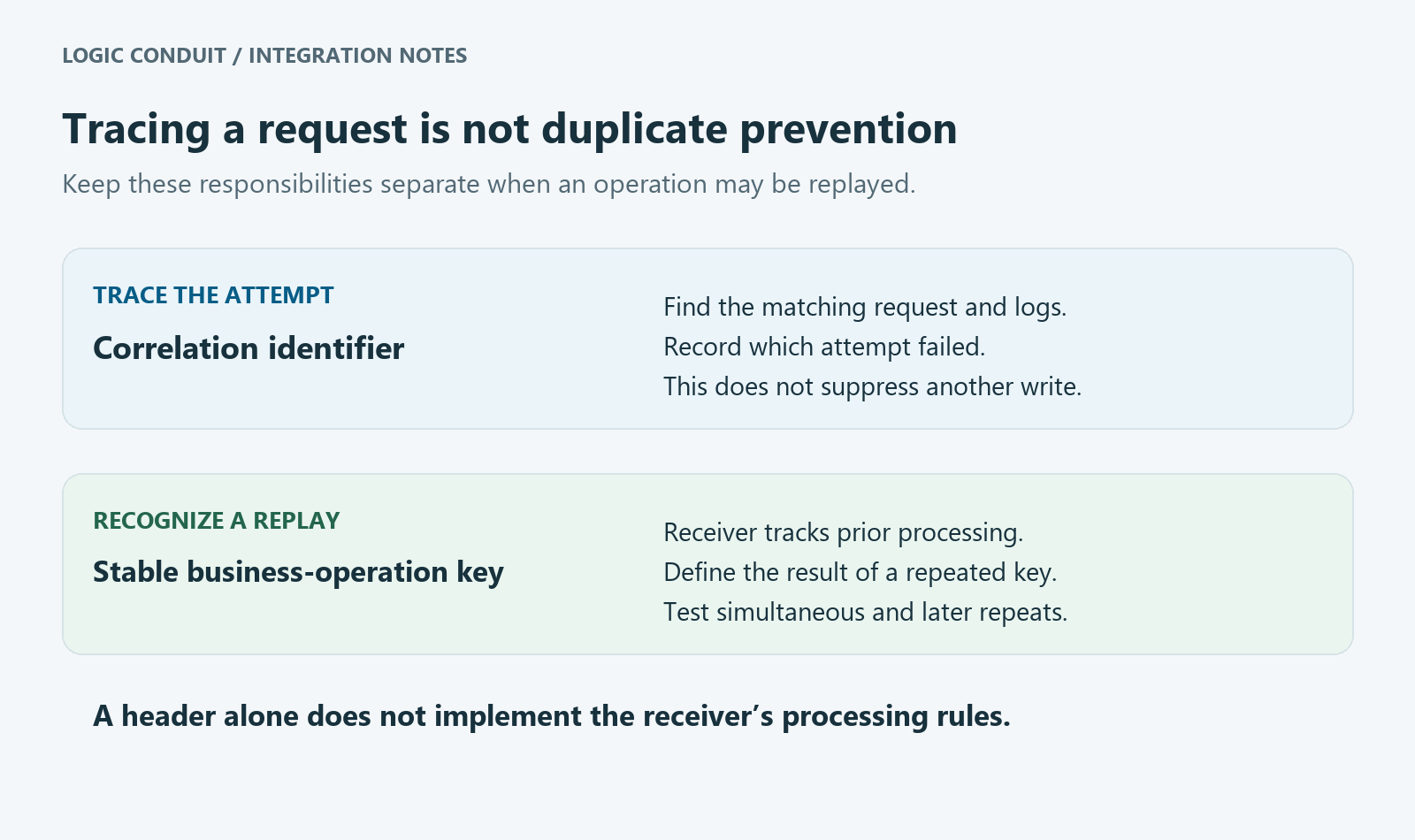
Use a stable operation identifier to trace attempts and help the receiver recognize repeats. A correlation header helps investigation; it does not, by itself, prevent duplicate processing. The receiving service needs an implemented and tested rule for handling the same business operation again.
Salesforce's integration guidance describes idempotency as making repeated invocations safe and discusses tracking unique message identifiers at the receiver. That is a design responsibility, not a property automatically added by a POST or fault connector. Salesforce integration patterns
Write a small policy for each operation:
- Eligibility: name the responses or exceptions that may be retried, and the evidence needed for that decision.
- Safety: establish how duplicate attempts are recognized and how uncertain outcomes are reconciled.
- Limits: set a maximum number of attempts, delay schedule and total recovery window. Respect the receiver's documented instructions.
- Escalation: specify who owns exhausted retries and what information they receive.
Those values should fit the business deadline and API contract. Avoid presenting an arbitrary delay schedule as a Salesforce requirement. If you cannot yet establish replay safety, stop automatic recovery for that operation and investigate the uncertain result.
A practical error-handling runbook
Keep an operation-level outcome separate from individual attempts. This illustrative entry is a design example, not an additional execution receipt:
Operation: send-order / synthetic-operation-001
Attempt: 1
Direction: Salesforce to receiving API
Observation: callout timed out; no final response received
Business outcome: unknown; receiver lookup required
Decision: hold automatic replay until outcome is reconciled
Owner: integration operations
Next check: search receiver records using the operation identifier
Add timestamps, a sanitized error message and the affected record reference to your real log. Keep access tokens, private receiver addresses and unnecessary customer payloads out of general-purpose logs. Record both the decision and the eventual result so support staff can tell “retry scheduled” from “business operation completed.”
Before rollout, verify unchanged-data rejection, invalid authentication, receiver unavailability, timeouts and duplicate attempts in an approved test environment. Include an exhausted-retry path and an owner handoff. Our tests covered a subset of those conditions; locking, production recovery and duplicate prevention remain separate verification work.
Get help with one Salesforce integration workflow
Bring one failing workflow, its receiving API contract and a sanitized response example. That gives the investigation a concrete operation and a recovery decision to resolve.
The Logic Conduit Salesforce Integration Sprint is a starting point for discussing that defined workflow. Bring the initiating business change, receiving API documentation and examples of the failures your team needs to diagnose. Contact Logic Conduit to discuss the scope.