Salesforce Data Migration Services: 12 Questions to Ask
Comparing Salesforce data migration services means checking who handles cleanup, rejected records, and the final switch—not just the upload. Use these 12 questions to compare quotes, decide what your team can handle, and prepare a brief for any provider.
1. Do we need a consultant, or can we do this ourselves?
Use your internal team if it understands both systems and has time to prepare, test, and troubleshoot the move. Consider a consultant when expertise or capacity is missing.
| Your situation | Approach to consider | What you need before committing |
|---|---|---|
| One source, clear mapping, and an experienced internal Salesforce owner | Internal team using an appropriate import tool | Time for a trial load, corrections, and business-user checks |
| Conflicting customer records, important history, or connected systems to repair | Specialist migration or integration consultant | A written scope and a business owner who can resolve data questions |
| Many countries, business units, and coordinated deployment teams | Large integrator or a properly staffed program team | Governance, regional coverage, and a shared cutover plan |
Record count alone will not settle this choice. Similar company names could represent duplicates, subsidiaries, or separate legal entities; a business owner must decide.
Salesforce provides native import tools, including Data Import Wizard and Data Loader. Tool suitability depends on supported objects, permissions, edition, and storage constraints. Salesforce’s import overview
In one discussion about a small org-to-org move, the requester asked what an external service would add beyond export and import. A review of your plan may be enough.
2. What should a migration quote include?
List the source systems, destination, objects, fields, relationships, and historical periods. Assign extraction, cleanup, mapping, trial loads, cutover, and support.
Keep these three jobs separate in the proposal:
- Migration: Moving the agreed records and checking the result.
- Salesforce changes: Creating or changing fields, permissions, reports, or business rules needed to use them.
- Ongoing integration: Keeping information moving between systems after the migration.
A buyer moving to Salesforce reported that their implementation partner did not handle migration. Confirm who owns each job, even if you already have an implementation contract.
3. How much will Salesforce data migration services cost?
Get an estimate for the scope below, with assumptions and exclusions attached. Budget for internal work as well as the provider’s fee.
| Cost driver | What to clarify before accepting the quote |
|---|---|
| Source exports | Are the exports complete and usable? Who obtains missing data and files? |
| Cleanup | Who approves duplicate merges, fixes missing values, and translates old status fields? |
| History and relationships | Which dates, owners, activities, attachments, and links must survive? |
| Salesforce and integrations | Which configuration changes and connected-system repairs are included? |
| Test migrations | How many correction cycles are included? What triggers another charge? |
| Cutover and support | Is launch coverage included? What counts as a defect versus a new request? |
| Costs outside the fee | What internal time, tooling, storage, and old-system overlap should you budget for? |
For example, a quote to import cleaned files leaves your team doing the preparation. Compare it with a fuller proposal only after accounting for that work.
If the data is poorly understood, consider capped discovery with specific outputs: source inventory, sample assessment, draft mappings, unresolved decisions, and a revised estimate.
4. Who cleans the data and decides which record wins?
Name a business owner to approve ambiguous matches and cleanup rules.
If systems disagree about an address, decide which source wins. For merges, specify which identifiers, relationships, and history survive. Review uncertain matches.
Salesforce recommends cleaning import data, reviewing field mapping, and starting with a small test file. Salesforce import preparation guidance
5. Can we keep customer history, files, owners, and original dates?
List what moves into Salesforce, stays in an accessible archive, or is excluded under your retention rules.
Ask to see an open case with its emails and files, or an account with its contacts and opportunities, after a trial migration.
Salesforce Files use related records for the document, file versions, and links to business records. Check that files open against the right customer or case. Salesforce file representation
Some audit fields can be set when records are created through supported API tools with the required settings and permissions. Confirm support for your exact objects and fields; this does not cover every kind of history. Salesforce audit-field guidance, June 17, 2026
6. Will records stay connected, and can failed loads be rerun?
Require a source-to-destination record map and a plan for preserving relationships and retrying failed records.
Salesforce’s Bulk API 2.0 upsert operation uses an external ID to determine whether to update an existing record or create one. That mechanism still needs consistent identifiers and agreed matching rules. Salesforce Bulk Upsert documentation
Rehearse a rerun using a customer with related contacts and deals. Agree which records should be created, updated, or unchanged, then check the links and retain the results.
7. How long will it take, and what if our old contract expires first?
Schedule preparation, decisions, corrections, and user testing alongside the upload. Give each dependency an owner and due date.
Record renewals, shutdowns, and busy periods. Set a decision date for extending access, narrowing scope, or postponing cutover.
If a provider promises a date before seeing the source data, ask which assumptions make that date possible and what would change it.
8. How will sales and service keep working during cutover?
Specify where staff work, when old-system edits stop, how late changes reach Salesforce, and who can pause the switch.
Walk through a deal or case updated during migration: where does the change go, and who checks it arrived?
Rehearse the timing and stop conditions. Any rollback plan must address legitimate work created after launch and name who can authorize recovery.
9. Could the load trigger emails or disrupt connected systems?
Identify affected automation and integrations. Agree what must run, any temporary changes, and how normal operation will be checked afterward.
Salesforce runs validation rules on imported records; records that fail validation are not imported. Allow time to investigate rejected records during rehearsals. Salesforce import considerations
Check customer emails, ownership, tasks, and connected-system updates where relevant. Any temporary bypass needs an owner and a plan to complete skipped work. Our Salesforce migration automation readiness guide covers the approval questions in more detail.
10. What proves the migration is complete and accurate?
Agree checks and sign-off owners before rehearsal. Compare the data and have staff demonstrate their work.
Salesforce’s Data Loader documentation notes that its Windows command-line execution can report success despite failed rows under its default failed-row exit setting. Ask for the record results and reconciliations. Data Loader operations and exit codes
| Check | What to request |
|---|---|
| Records accounted for | Source records identified as loaded, merged, excluded, rejected, or unresolved |
| Relationships preserved | Selected customers, contacts, deals, and cases linked as agreed |
| Important values correct | Critical fields and report totals compared, with differences explained |
| Staff can work | Business users complete agreed tasks with their intended permissions |
| Late changes included | Updates made during the transition accounted for in the destination |
| Defects visible | Remaining issues listed with severity, owner, and an approved resolution |
Sample acceptance task: find an open opportunity, confirm its account and owner, review its history, and include it in the agreed pipeline report.
11. What should we ask about access, support, and handoff?
Get security approval for who handles the data, the tools and subcontractors used, storage, and retention.
Before signing, get answers to these questions:
- What comparable work can the proposed team explain, including a difficult exception and its resolution?
- Who handles a missing or incorrect record after launch, and how do we reach them?
- What support period and response expectations are included?
- How does the contract distinguish a migration defect from a new request?
- Will we receive the mappings, cleanup rules, results, known exceptions, and operating instructions?
- Who approves retirement of the old system after archive and access requirements are met?
Could another competent person use the handoff documents to investigate an incorrect record?
12. Do we also need ongoing integration?
Migration moves agreed data during a transition. Integration keeps information moving afterward. Define and price both when needed.
Decide how tomorrow’s accounting updates reach Salesforce: which system owns each field, which direction updates move, and who handles failures.
In a post-launch lessons discussion, an integration vendor’s disclosed contribution highlights conflicting field ownership after launch. Set those rules while planning the move.
Send every provider the same brief
Use this brief with your internal team, Logic Conduit, or any other provider.
Business result: What must sales, service, or operations be able to do after the move?
Systems: Where is the data now, where is it going, and which systems will stay connected?
Scope: Which records, relationships, historical periods, emails, and files matter? What may be archived or excluded?
Known problems: Duplicates, missing values, inconsistent definitions, unreliable exports, or previous failed attempts.
Deadline: The required date, why it matters, and whether old-system access can be extended.
Your team: Who can approve data decisions and spend time checking the result?
Evidence requested: Mapping decisions, trial results, explained differences, business-user checks, and a cutover and support plan.
Describe the data initially; agree a secure transfer method before sharing confidential exports. Never send passwords in an inquiry.
Use the provider comparison sheet to record inclusions, unanswered questions, and follow-up owners.
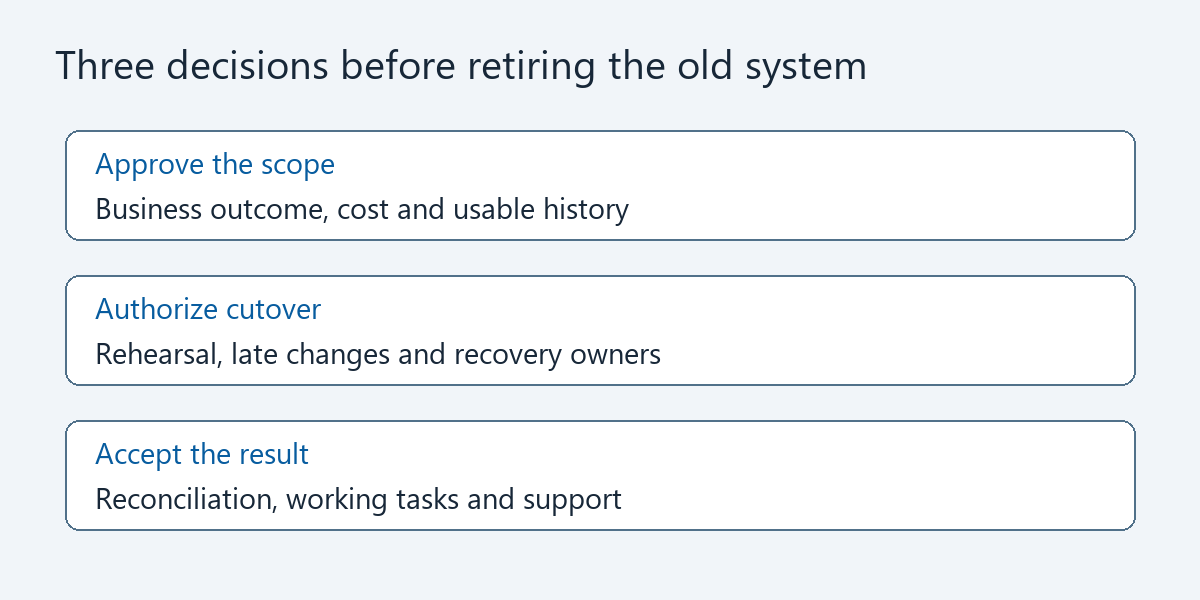
Proposal review aid. Open the diagram at full size.
Is Logic Conduit a good fit?
Consider Logic Conduit for defined Salesforce migration or integration work at a small or mid-market business.
Our Salesforce consulting, integrations, and automation services focus on the connections and processes your team needs. We are based in Toronto and work with businesses in the US and Canada.
The Salesforce Integration Sprint describes an engagement for one defined workflow, with mapping, testing, reconciliation checks, and handoff documentation. The service page explicitly says major migrations and complex enterprise programs may require separate scope. A migration is not automatically included in the Sprint.
A Walmart-scale global transformation needs a large integrator with regional coverage and program staffing. Logic Conduit should not lead that work. A straightforward import may already be within your internal team’s capabilities.
Contact Logic Conduit about your migration or integration. Share your systems, deadline, and what must keep working so we can assess fit.